Admin track overview
Customizing the copilot
Two views shape what your users see and how the assistant behaves. Both preview against the real widget bundle, so what you see is what ships.
Widget Appearance — accent color, launcher position and icon, the assistant's name, subtitle and greeting, corner radius, panel width, and the suggested-prompt chips. The live preview updates as you type.
Copilot Settings — the behavioral switches: streaming replies, voice, page navigation and action bridges, human-in-the-loop gating, session mode, and guardrails. Turn on only what your product needs.
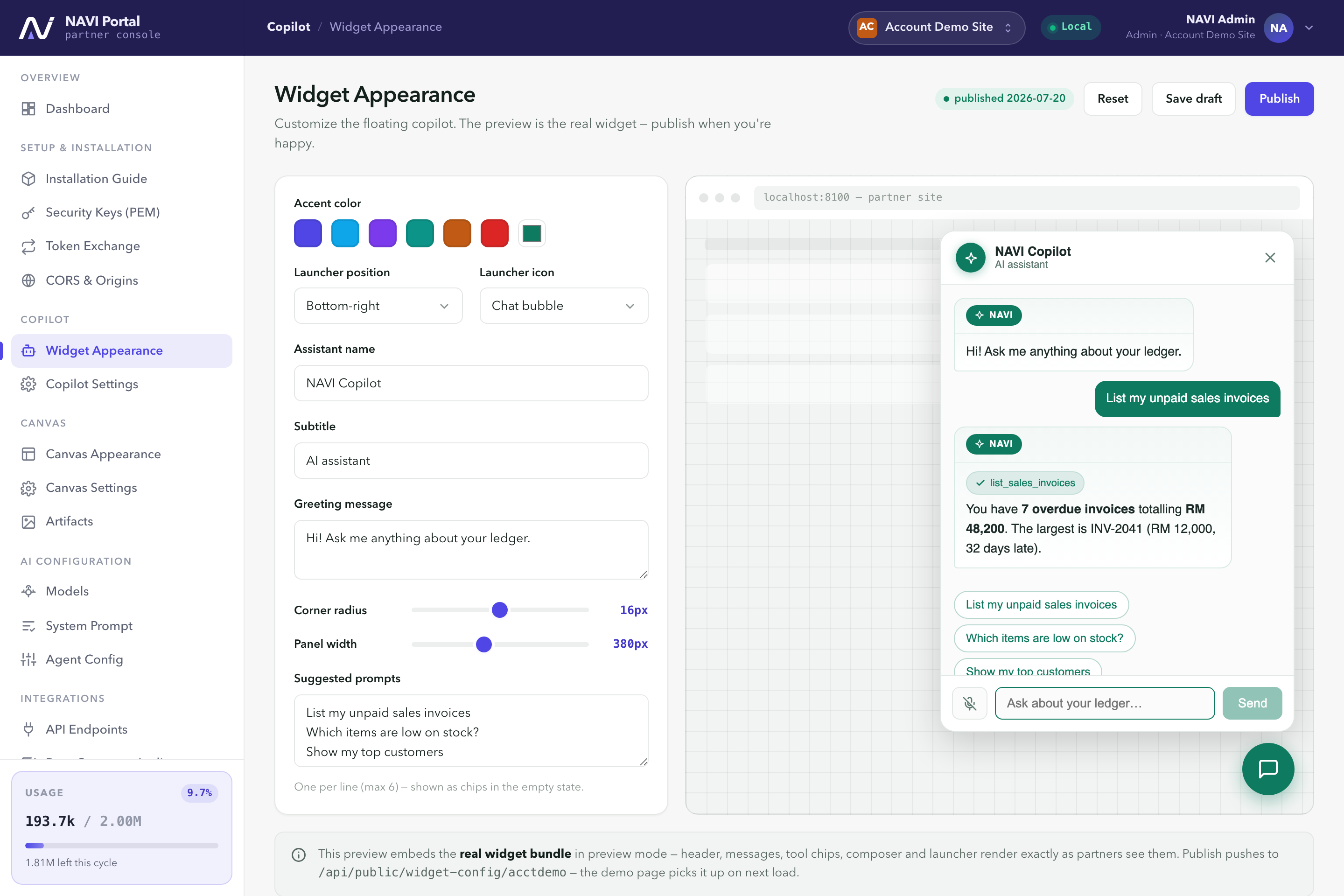 Widget Appearance. Brand the widget and preview it live before publishing.
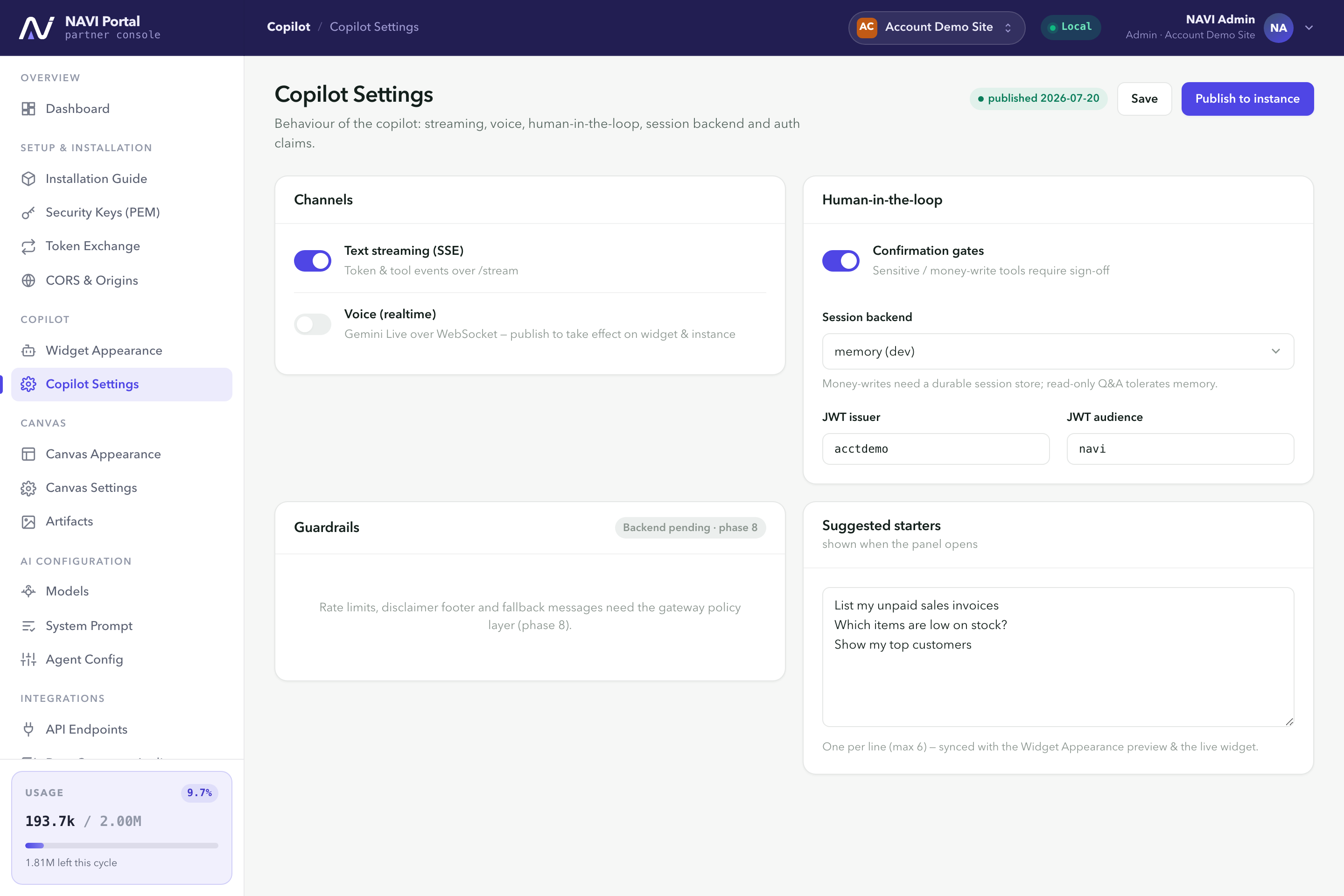 Copilot Settings. Streaming, voice, guardrails and session behavior.