Developer track overview
Step 1 · Security keys
Authentication is asymmetric (RS256). You generate a key pair, keep the private key on your backend (it signs tokens), and give NAVI the public key (it verifies them). NAVI never sees your private key.
bash
# private key — stays on your backend, signs tokens
openssl genpkey -algorithm RSA -pkeyopt rsa_keygen_bits:2048 -out jwt-private.pem

# public key — paste this into the Portal
openssl rsa -in jwt-private.pem -pubout -out jwt-public.pem
In the Portal, open Security Keys and paste the public key (PEM). NAVI supports a current + next key pair so you can rotate keys with zero downtime: upload the new key as "next", switch your backend to sign with it, then promote it.
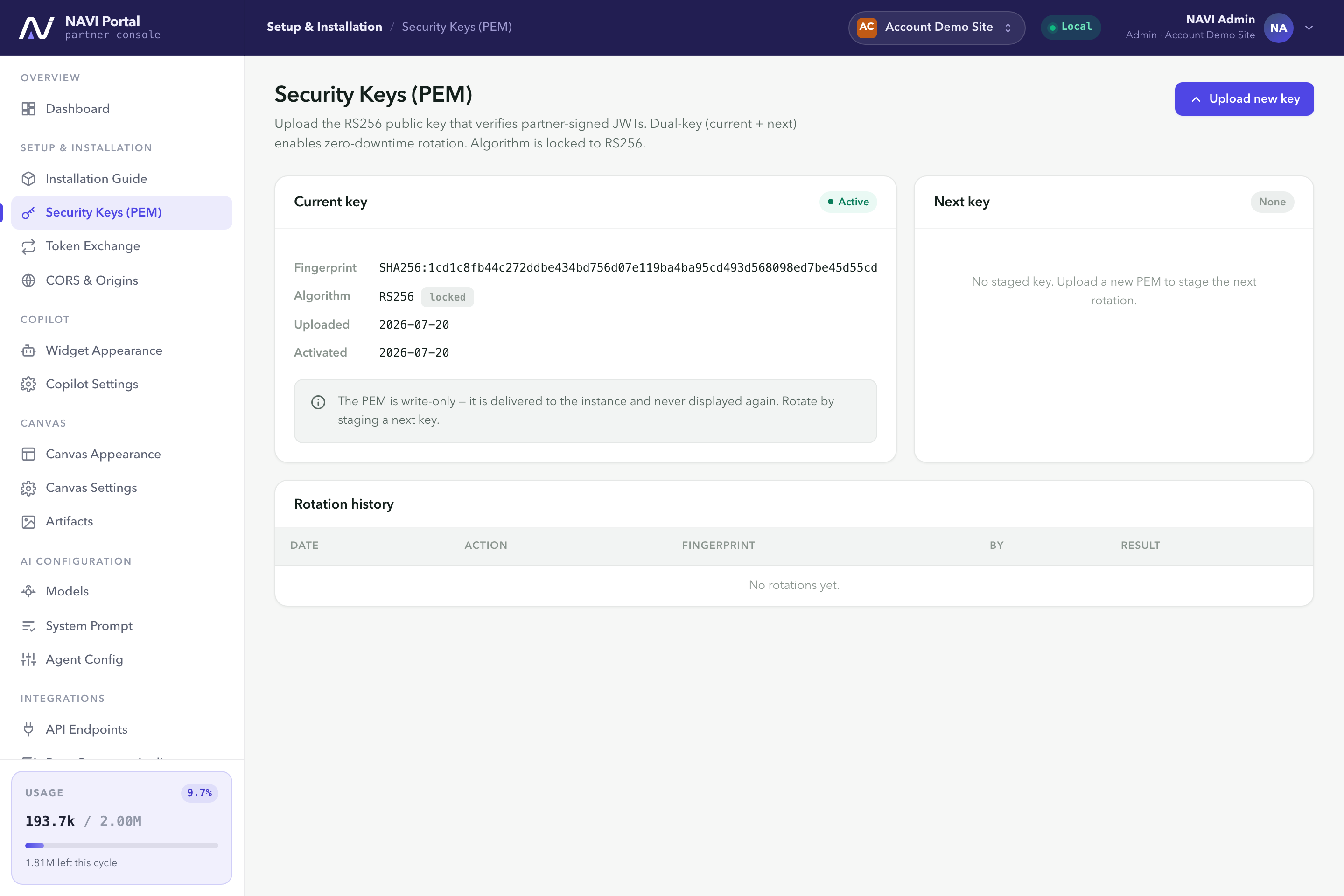
Security Keys. Upload your public key; keep a current + next pair for zero-downtime rotation.
🛑 Never ship the private key to the browser. The private key lives only on your server. Tokens are signed server-side, per request or per page render — never in client-side JavaScript.